
Parallel Development with Git Worktrees in Codex

How branches, worktrees, and threads fit together in a real Codex workflow.
While using Codex to build my portfolio site, I ran into more pitfalls than I expected.
Most of the friction came from three areas:
Git features for parallel development: I ran into a lot of trouble when using worktrees and branches for parallel work. I did not have much background here, and I did not yet understand the underlying model, so I had to relearn it from the ground up.
Codex's visual layer: I also needed to understand how Codex turns these Git capabilities into interface actions, which tasks are already covered by the UI, and which still need to happen in the terminal. That boundary matters, because without it, parallel development becomes easy to misread and harder to control.
For example, the current Codex client still has a very recognizable “create, but do not clean up” feel: the UI makes it easy to create a new branch or worktree from a task or context, but if you want to delete old branches or clean up unused ones, you still have to go back to the terminal.
The relationships between these features: the concepts are tightly connected, and without sorting out those relationships first, it becomes very hard to work on multiple modules efficiently in parallel.
What follows is a review of the places where I got stuck most easily, and how I gradually worked through them.
What: worktree, branch, and thread
First, it helps to separate the concepts that are easiest to confuse.
Branch: a line of code history.
Worktree: an independent working directory tied to a branch.
Thread: the conversation context inside Codex that develops around that working directory.
In practice, their relationship usually looks like this:
A worktree usually corresponds to one active working branch.
A thread is usually tied to the current working directory, which means a specific worktree.
You can switch threads, while continuing to reuse the same branch and worktree.
For me, the key point is this: a thread is collaboration context, not a code asset.
How
1. Setup
In Codex, there are two common ways to create a worktree and a branch.
Option A: create a worktree and a new branch at the same time
A typical command looks like this:
git worktree add -b codex/xxx /path/to/worktree mainWhat this means:
Create a new branch `codex/xxx` from `main`, with its HEAD inherited from `main`.
Create a new worktree in a separate directory.
This is the cleanest and most common approach because it creates the worktree and the new branch in one step.
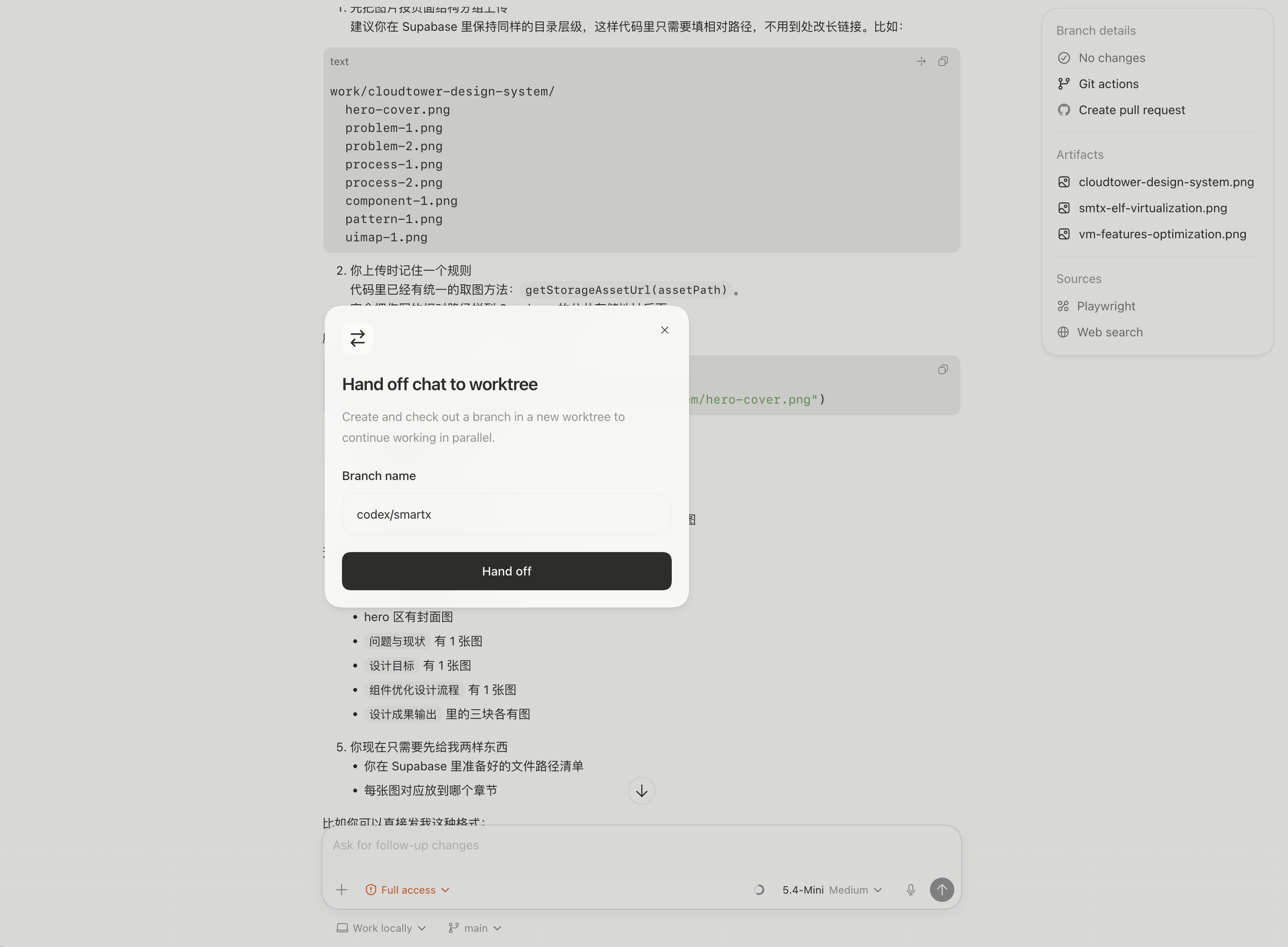
In the UI, the equivalent move is to choose “Hand off to worktree” from the workspace selector below the input box. Codex then creates both the new worktree and the new branch for you.
This also shows a very typical product trait in Codex today: creation is well supported in the UI, while cleanup has not fully made its way there yet.
Option B: create the branch first, then attach it to a worktree
The typical sequence is split into two steps:
git branch codex/xxx main
git worktree add /path/to/worktree codex/xxx
For day-to-day work, I would strongly prefer Option A because it completes “create a branch” and “create an isolated working directory” in one move. It is simply the least error-prone. I tried Option B a few times because I wanted to fully understand how Codex behaves, but it is easier to make mistakes there, especially when several features are being developed in parallel.
2. Working phase
The key idea here is that a thread is tied to the context of the current working directory. In other words, once you enter a specific worktree in Codex, that thread is effectively operating around that worktree.
2.1 The normal workflow
The normal state is straightforward: you are in a thread, the current `cwd` points to a specific worktree, that worktree has a specific branch checked out, and you keep committing on that branch.
2.2 What to do when the thread context fills up
At that point, the right move is not to switch branches or recreate the worktree. Instead, keep the existing branch and worktree, open a new thread, and let the new thread continue working in the same worktree. In short: the thread can change, while the worktree does not need to.
2.3 About handoff
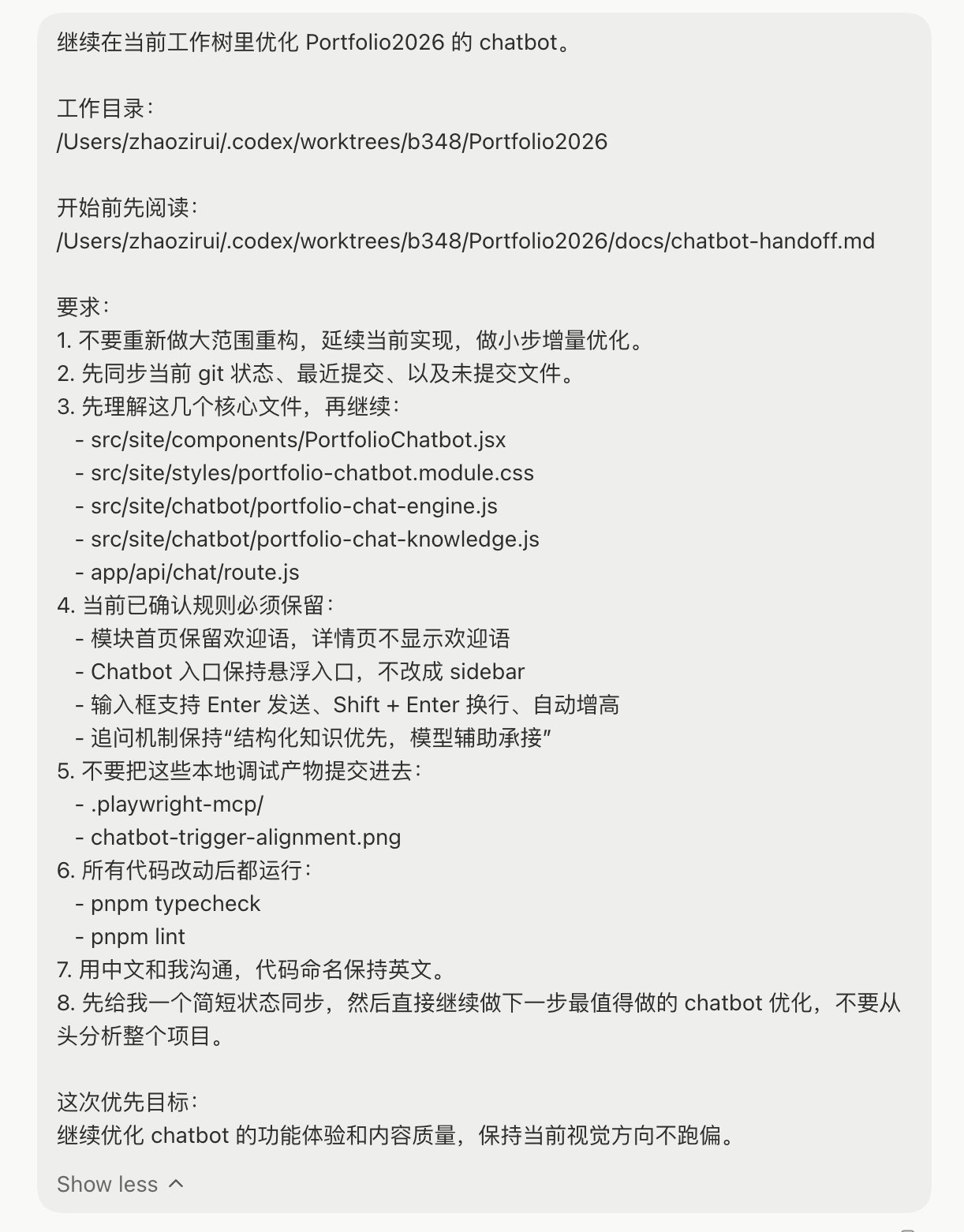
The safest approach is to ask the agent to prepare a short handoff. I would recommend including at least the following information:
The current working directory.
The current branch name.
What has already been completed.
What still remains unfinished.
Key files.
Whether there are uncommitted changes.
Suggested next steps.
When I was working on the chatbot feature earlier, I asked the agent to prepare a handoff document, which became `docs/chatbot-handoff.md`.
3. Commit and merge
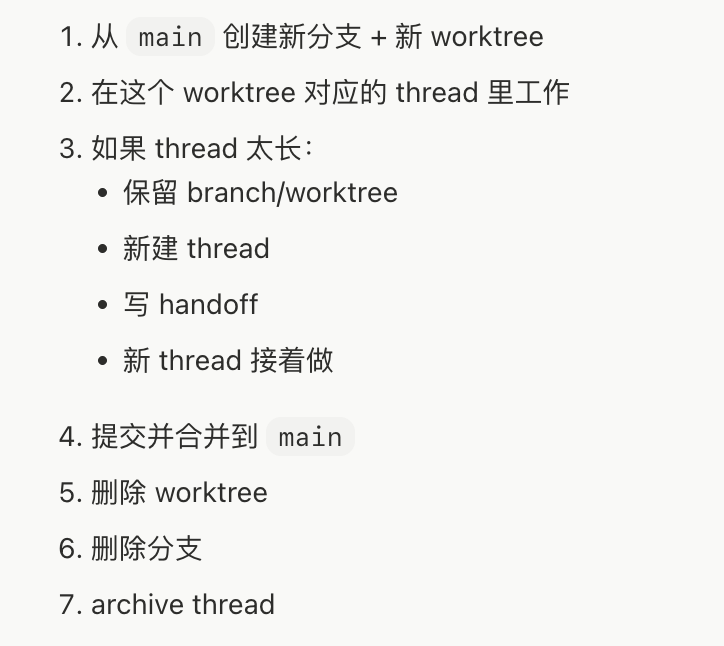
Once the work is done, the usual flow is to commit on the branch associated with that worktree, merge it back into `main`, return to the main repository or the `main` worktree to verify everything, and only then clean up the worktree and branch.
4. Cleanup
The cleanup order is usually: remove the worktree first, then delete the branch. The reason is simple: as long as a branch is still checked out by a worktree, Git usually will not let you delete that branch directly, so deleting the branch first often fails.
5. Closing the thread
After cleanup is complete, the thread can be archived because the task tied to it no longer needs to continue. Conceptually, the order is: handle the code assets first, and archive the conversation asset second.
Conclusion
A thread is not part of a branch, and it does not need to map one-to-one with a branch.
When a thread runs out of context, there is no need to create a new branch or worktree. The right move is to open a new thread and keep reusing the existing worktree.
The value of this review lies less in memorizing a few Git commands than in clarifying the boundaries between branch, worktree, and thread. Once those boundaries are explicit, parallel collaboration, task switching, and cleanup become far more controllable.